
Booking.com no longer sends guest phone numbers: what really breaks, and how to recognise returning guests
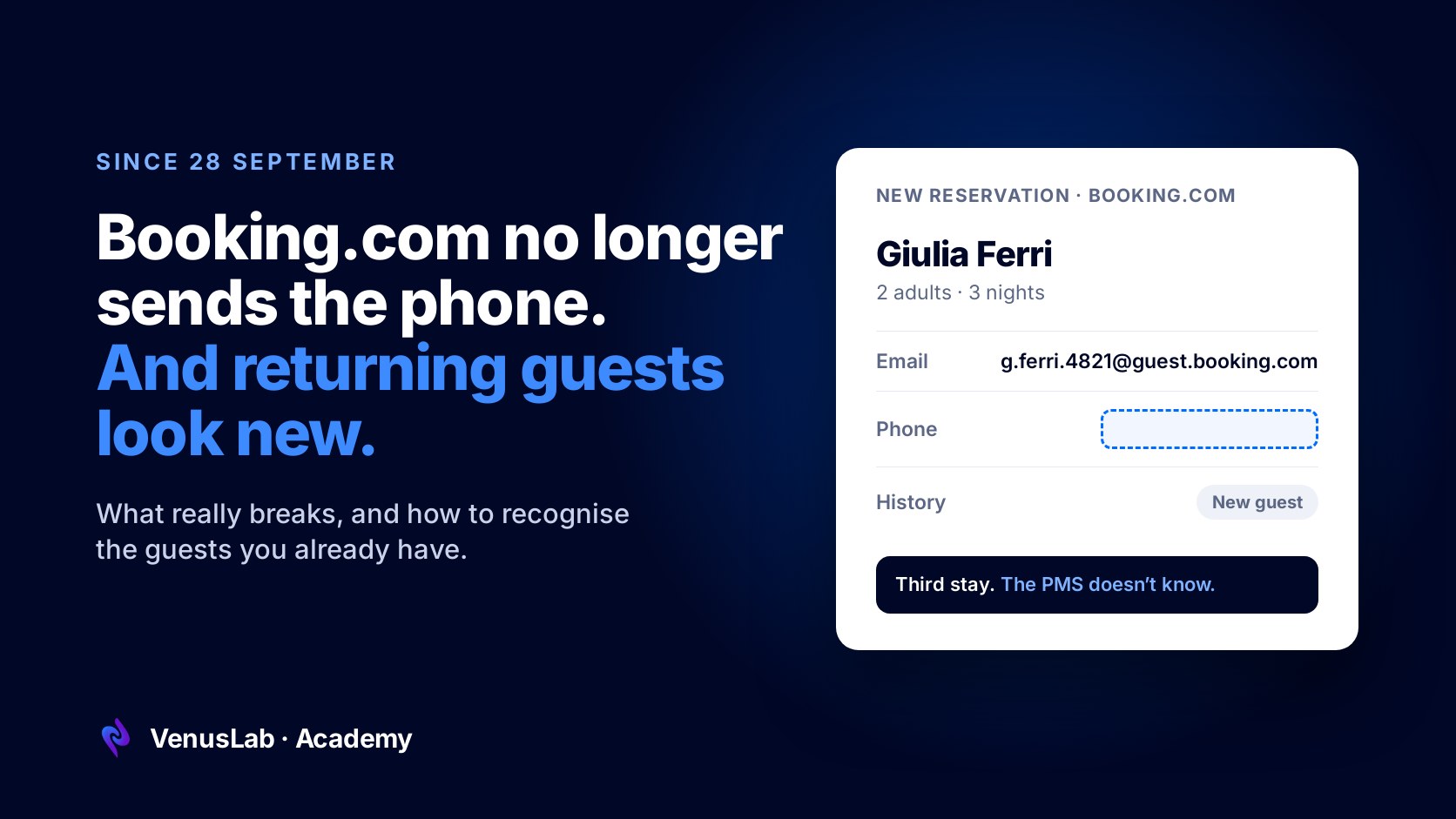
For a few weeks now, many hoteliers have been opening a Booking.com reservation and finding the phone field empty. The first thought is a fault: in the PMS, in the channel manager, in an update gone wrong.
It is not a fault. Since 28 September 2026 Booking.com has stopped sending the guest’s phone number to connected systems. It applies worldwide, to every type of property, and to every reservation, modification or cancellation sent after that date.
Booking.com told the providers of connected software, and several of them explained it to their customers. Whoever missed that message finds out from the effects: the WhatsApp welcome that never goes out, the door code that never arrives, the front desk looking for a number that is not there.
Those are the effects you can see. There is one you see less, and it weighs more: the guest who comes back through Booking.com is no longer recognised. Both are worth looking at, because they are solved in different ways.
What changed, exactly
Why Booking.com did it
Booking.com gives a security reason. Scam messages sent to guests by WhatsApp and SMS have grown, written with the real booking details: name, dates, property. That is why they are hard to spot as fake.
Fewer systems holding the number means fewer chances for someone to steal it. It is an understandable reason. Anyone who has seen a guest lose money to a fake message “from the hotel” understands it well.
What still arrives and what does not
- The number no longer reaches connected systems, but Booking.com keeps it. You can find it in the Extranet, by opening the individual reservation, and in the Pulse app.
- The rest of the reservation arrives as before: dates, rooms, prices, the guest’s name and, when the guest entered it, the address.
- Booking.com messaging and the masked email work as before. The email is the one ending in
@guest.booking.com: a placeholder address that forwards messages to the guest.
Reservations made before 28 September
Numbers already received stay where they are. But if one of those reservations is modified after 28 September, the update arrives without the phone number.
Depending on how your PMS handles updates, the old number may stay, or it may be replaced by an empty field. It is worth checking.
Who notices
If you work only from the Extranet, with no connected tools, nothing changes. If you work with a PMS and a channel manager, as almost every hotel does, you notice everything.
The damage you can see: automated messages
What stops going out
Every message that goes out on its own and needs the phone breaks:
- the WhatsApp welcome a few days before arrival;
- the SMS with the door code for late arrivals;
- the offer of an extra service before the stay;
- the call when the guest does not show up at the expected time.
For Booking.com reservations these messages now go to an empty field, or do not go out at all. And often nobody notices, because a message that does not go out makes no noise.
One hour of inventory
The first job is a list. Write down every message the property sends to guests, automated or manual, and mark the ones that depend on the phone.
For each one there are three options: move it to Booking.com messaging, move it to the masked email, or send it only after collecting the number another way.
The door code
This is the most delicate case. If it arrives late, or not at all, the guest is stuck outside. It needs a written fallback plan that the front desk knows before it happens.
Tell the front desk
It sounds obvious, but the empty field wastes time: people look for the fault, call support, open a ticket. Knowing it is intended, and that the number is two clicks away in the Extranet, settles it.
The damage you cannot see: returning guests become strangers
How a system recognises a person
A name alone is not enough. Namesakes exist, and merging two “John Smiths” who have never met is a worse mistake than not merging them.
That is why almost every PMS, and every program that manages a guest database, relies on a contact detail. Email first, and if the email is missing, the phone. With direct bookings this works well, because guests use their own email and number.
Why it no longer works with Booking.com
With Booking.com the email was already a placeholder, and in the vast majority of cases it changes from one reservation to the next. The phone was the last anchor: the only stable detail linking this year’s reservation to last year’s.
Since 28 September that is gone too.
What happens, concretely
A guest has been coming for three years. This time she books through the portal, and she enters the PMS as a new person.
- The front desk does not know she is a regular and does not say “welcome back”.
- The system asks again for details and documents she has already given twice.
- She does not end up on the list of guests who receive an offer to come back.
And the hotel, not knowing it has a loyal guest in front of it, misses the chance to thank her and to invite her to write directly next time.
The problem already existed with the masked email, and the phone held it half together. Now it is whole, and it affects exactly the guests who matter most: the ones who come back.
How to recognise returning guests without email or phone
The principle: name plus place
Recognition is possible without contact details, as long as you are careful. A name alone is not enough. A name together with a place is.
Booking.com no longer sends the phone, but it often still sends city, address and postcode, when the guest has entered them in their profile. Not always: the address is there in roughly one reservation in two, the postcode less often, the city more often.
When they are there, first and last name together with the address, or the postcode, are much harder to confuse with a namesake.
First level: automatic linking
First and last name match a guest already registered at the property, and the address or postcode matches too. Here the system can link the reservation to the existing guest profile on its own.
The front desk sees a returning guest. The profile already has documents, preferences and history. And it has the phone number from last time, which in most cases is still valid.
Second level: a flag for the front desk
Only first and last name match, because the address is missing or different. Here the machine does not decide.
It flags that this may be a guest already seen, shows the candidate profile and leaves the choice to a person. Whoever works the desk often recognises at a glance whether it is last year’s guest or a namesake. The system saves them the search, not the judgement.
Two precautions
Matching happens only within the same property, on its own guest history. Cross-matching guests of different hotels, even with the same owner, raises privacy questions that are not worth raising for this purpose.
Matching must tolerate differences in form. The same guest can arrive as “Smith John” and later as “John Smith”, with or without accents, with the postcode written in different ways. A system that compares names letter by letter misses some of them.
All this takes a well-written rule, applied to every reservation that arrives. It is the kind of work a person at the desk has no time for and a machine does without getting tired.
Getting the number back without making returning guests start over
For new guests: online check-in
The most common advice is to collect the phone through online check-in: a form sent after booking, with consent to be contacted.
For new guests it is the right advice. Put the link in the very first message, the one sent through Booking.com messaging right after the reservation.
For returning guests: a confirmation, not a form
For returning guests, a form to fill in from scratch is a step backwards. A regular expects the hotel to know them: their details, their documents, perhaps the room they prefer.
If recognition worked, the message can be different:
“Welcome back. We already have your details from last time: can you confirm they are still correct?”
One tap to confirm, one to correct. The phone is updated if it has changed, documents are not requested again if they are still valid, and the guest understands they have been recognised.
It is also the right moment to ask, politely, for their real email. That is what will let you write to them directly next time.
When recognition is uncertain
The front desk confirms at arrival, with a simple question. Here too, the machine’s job is to have the right profile ready. The question is asked by a person.
What to do this week
Almost all of it can be done without changing software.
- Take an inventory of the messages that depend on the phone, and decide where to move each one. Start with the door code.
- Tell the front desk that the empty field is intended, and show where the number is in the Extranet.
- Check what your PMS does with modifications: the number you had should be kept, not replaced by an empty field.
- Ask your provider how it recognises returning guests. If it uses only email and phone, today it recognises nobody on Booking.com reservations. Ask whether it can use first name, last name and address or postcode, and whether it distinguishes between automatic linking and a flag.
- Count how many Booking.com arrivals last month were guests who had stayed with you before. Your history and an afternoon are enough. The number usually surprises, and it is the measure of how much solving the problem is worth.
Conclusions
The phone number that no longer arrives is a Booking.com decision, taken for a reason one can share, and it will not be reversed.
The immediate damage is automated messages. It is visible, and an inventory and a few hours of work fix it.
The bigger damage is the regular guest who comes back through the portal and becomes a stranger. It is recovered with a careful rule, name plus place to link and name alone to flag, and with a way of asking for details that treats returning guests as known guests.
Booking.com remains the channel that brings you guests who do not know you yet, and that does not change. What changes is the work that comes after: recognising who has already stayed with you. Every guest recognised, greeted by name and invited to leave their real email is a guest you can stay in touch with.
Frequently asked questions
Since when has Booking.com stopped sending the guest phone number? Since 28 September 2026, for all new reservations and for every modification or cancellation sent after that date, worldwide.
Is it a fault in my PMS or channel manager? No. It is a Booking.com decision: it stopped sending the number to all connected systems. No PMS can retrieve it automatically through the Booking.com connection.
Where do I find a Booking.com guest’s phone number? In the Booking.com Extranet, in the details of the individual reservation, and in the Pulse app.
Why did Booking.com make this change? To reduce scam messages sent to guests by WhatsApp and SMS using real booking details. Fewer systems holding the number means fewer chances to steal it.
Are the numbers from earlier reservations lost? No, the ones already received stay in your PMS. But if a reservation made before 28 September is modified afterwards, the update arrives without the phone: check that your PMS does not delete the number it already has.
Can I use the @guest.booking.com email to recognise a returning guest? Generally not: it is a placeholder address that forwards messages to the guest and almost always changes from one reservation to the next. It is for writing to them, not for recognising them.
How do I recognise a regular guest who books through Booking.com? By matching first and last name against the property’s history together with a place detail, such as address or postcode, when Booking.com sends it. If both match, the link is reliable; if only the name matches, it is better to flag it to the front desk and let a person decide.
Can I ask the guest for their phone number? Yes, directly and with their consent: in online check-in, in a form sent after booking, or at arrival. For returning guests, it is better to ask them only to confirm the details you already have, rather than filling everything in again.
A note on sources. The change, the date of 28 September 2026, the reason given by Booking.com and the channels where the number can still be viewed are reported by the connectivity providers that informed their customers, including Smoobu (“Booking.com Guest Phone Numbers: What Changes for Hosts from 28 September 2026”), Mews (“4 things hoteliers need to do now Booking.com doesn’t share guest phone numbers”) and Hostaway, and by eHotelier (19 October 2026). The observations on how often address, postcode and city appear in Booking.com reservations, and on the masked email changing from one reservation to the next, come from the reservation data of the properties we work with, and should be read as orders of magnitude, not as a statistical survey.